Accessible Camping: Finding Sites and Facilities That Work for You
How to find accessible campsites, which official pages to check, and what the federal Access Pass covers.
On this page
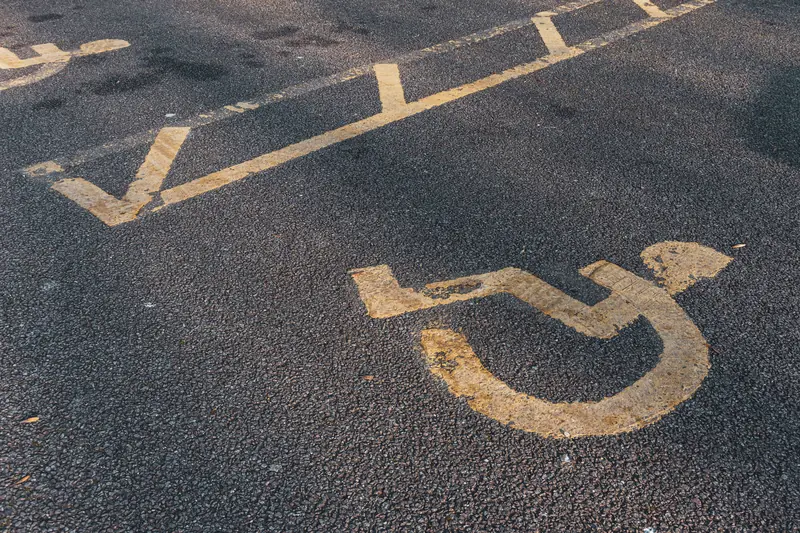
Camping works better when the site fits the people using it. For some campers, that means a level parking pad, a clear path to the restroom and a picnic table they can use. For others, it means something different. Accessible campsites exist to meet needs like these, but the label alone does not tell you everything about a site.
This guide shows you how to find accessible campsites, which official pages to read, and how to ask the right questions before you book. It also explains the federal Access Pass, a free pass for people with permanent disabilities. Terms and details vary by agency and by campground, so the article points you to the source for each step instead of promising a feature.
The goal is a plan you can trust. When a page leaves a question open, ask the park, forest or campground directly.
What “accessible” means at a campground
Many campgrounds list some sites as accessible. The Recreation.gov help page on site types says some campgrounds have a portion of their individual and group sites listed as accessible, and urges campers who do not need an accessible site to choose a different one if they can. That keeps those sites open for the people they were built for.
The National Park Service (NPS) lists wheelchair-accessible sites, paths and restrooms among the facilities a frontcountry campground may have, and tells visitors to check with each park for details. “May have” is the key phrase. Accessible features differ from one campground to the next, and the details of the site matter more than the label.
Find accessible sites on Recreation.gov
Recreation.gov has two built-in ways to look:
- On the search page. The help article on checking availability lists an Accessible Camping category next to Ways to Stay and When.
- On a campground page. The booking help article says to choose the Only Show Accessible Campsites option under More Filters.
After you filter, open the site details. Read the description, the vehicle and driveway information and the map. How to reserve a campsite on Recreation.gov walks through the full booking path, and how to read a campground map explains map symbols.
If you want help, the Recreation.gov accessibility page says its Help Center team can assist people with disabilities in making reservations. It also lists a TDD line and a feedback form.
Check the park or agency
Booking is only half the job. The agency’s own pages tell you what the site is really like.
- National parks. The NPS accessibility planning page says park websites offer information about accessible features, programs and services. It encourages visitors to ask a park ahead of time for reasonable modifications, and it lists reserving accessible campsites as one example. Its mobility devices page says devices that meet the ADA definition of a wheelchair may be used anywhere foot travel is allowed in national parks, including Wilderness areas, and that some parks lend all-terrain chairs.
- BLM land. The Bureau of Land Management offers an interactive map of existing accessible recreation sites and proposed projects. You can filter by state or field office.
- State parks. Rules differ by state. Washington State Parks, for one, lets you choose “ADA Only” under Filters, restricts those sites to people with disabilities and asks for proof at check-in. Another state may do it differently. See state park camping.
For a park visit, start with national park camping and then open the park’s own accessibility page.
The America the Beautiful Access Pass
The Access Pass is a free pass for U.S. citizens or permanent residents who have been medically determined to have a permanent disability, at any age. The NPS page says the disability does not need to be 100 percent, but it must severely limit one or more major life activities.
To get one, you need a valid photo ID and one of these documents:
- A signed letter from a licensed physician that says the disability is permanent, that it severely limits daily life, and what the limitations are.
- A document from a federal agency, such as the Department of Veterans Affairs or the Social Security Administration, showing you are entitled to disability benefits.
- A document from a state agency, such as Vocational Rehabilitation, showing you are eligible for benefits because of a disability.
You can get the pass in person at federal recreation sites, order a physical pass from the USGS Online Store (the NPS says to allow up to three weeks), or get a digital pass through Recreation.gov.
The pass can affect camping fees, but not always. Recreation.gov says Access Pass holders may be eligible for a discount on some, but not all, camping and other expanded amenity fees, and advises verifying eligibility with the facility. It does not apply to everything, such as some cabins, yurts and group sites. The pass holder must show the pass and photo ID at check-in.
Questions to ask before you book
- Is this exact site listed as accessible, and what does the site description say?
- What is the surface and slope of the parking area and tent or table area?
- How far is the site from an accessible restroom, and what is the path like?
- Does the campground offer accessible showers, water or a food storage box you can use?
- How does the campground handle proof of eligibility at check-in, if it asks for any?
- Who can you call at the park, and when is the office open?
Write the answers in one place. They also belong in your first trip plan.
Common mistakes
- Booking an accessible site you do not need. Leave it for campers who do.
- Relying on the filter alone. Read the site details and contact the park about your specific needs.
- Assuming every state or agency uses the same rules. Proof of eligibility and booking methods vary.
- Forgetting the pass at check-in. Bring the pass and photo ID.
- Asking at the gate. Ask the park before you book, not after you arrive.
Frequently asked questions
Does the Access Pass cover campsite fees?
It may cover part of some camping fees, but not all. Recreation.gov advises checking with the facility before you go.
How do you find accessible campsites in a national park?
Use the Recreation.gov accessible filter if the campground is listed there, then read the park’s accessibility page. The NPS suggests asking the park ahead of time.
Can you use a mobility device in a park?
The NPS says devices meeting the ADA wheelchair definition may be used anywhere foot travel is allowed in national parks. Other power-driven devices have their own rules, so ask the park.
Where can you get help booking?
Recreation.gov’s Help Center can assist people with disabilities in making reservations. You can also contact the campground directly.
Next step: contact one campground
Pick one campground, use the accessible filter, and call or email the park with the questions above. Save the answers in the Pitch & Pack planner.
Sources
Official pages used for this guide. Rules vary by place and change often, so check the page for your campground before you go.
- Plan Your Visit, Accessibility, National Park Service. Accessed November 6, 2026.
- Access Pass, National Park Service. Accessed November 6, 2026.
- Mobility Devices in National Parks, National Park Service. Accessed November 6, 2026.
- Frontcountry Camping, National Park Service. Accessed November 6, 2026.
- How to Book a Camping Reservation, Recreation.gov. Accessed November 6, 2026.
- Site Types Offered on Recreation.gov, Recreation.gov. Accessed November 6, 2026.
- America the Beautiful Passes FAQ, Recreation.gov. Accessed November 6, 2026.
- Accessibility on BLM Public Lands, Bureau of Land Management. Accessed November 6, 2026.
- Making Reservations, Washington State Parks. Accessed November 6, 2026.
Keep reading
Where to Camp
How to Read a Campground Map
Learn to read a campground map: legend, site numbers, loops, restrooms and entrances, and how they help you pick a site.
Where to Camp
First-Come, First-Served vs. Reserved Campsites
How reserved and first-come campsites differ, how to claim a walk-up site, and how to plan a backup.
Where to Camp
National Park Camping: How Campgrounds Work
How national park campgrounds work, how to reserve a site, and which park rules to read before your first night.